Play Tube: Your Ultimate Background Video Player
Screenshots



Introduction
Play Tube is a revolutionary app developed by Life Solutions Technology that allows users to stream their favorite videos seamlessly, even in the background or when the screen is off. This app is designed for those who enjoy uninterrupted video playback, offering a free solution for music and video enthusiasts alike. With Play Tube, users can enjoy a hassle-free streaming experience without any ads, making it a top choice for fans of online content.
Graphics & Gameplay
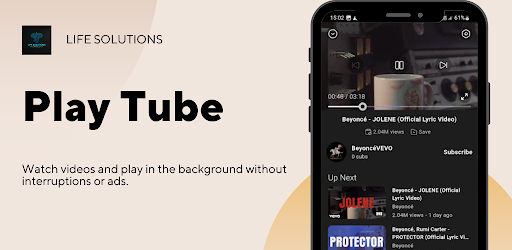
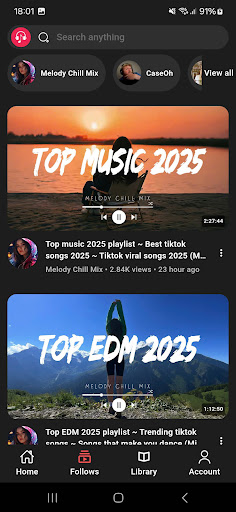
Play Tube features a clean and intuitive user interface that is visually appealing and easy to navigate. The app showcases a vibrant color palette with smooth animations, creating an engaging experience for users. The main screen displays a list of popular videos and allows for quick access to various categories, making it simple to find content of interest. Users can see thumbnails of videos, which provides a brief glimpse of what to expect. The playback screen is user-friendly, featuring essential controls that make it easy to play, pause, and skip through videos efficiently.
From the screenshots, it's evident that the app is designed with user experience in mind. The layout is organized, and the visual elements are well-aligned. Users can expect a seamless transition between different sections of the app, whether they're browsing or watching videos. The app's ability to function in the background without screen time ensures that users can multitask effectively, enhancing overall usability.
Key Features
- Video & Background Playback: Enjoy videos and audio while using other applications or with the screen off, ensuring a versatile streaming experience.
- Free Background Video Playback: Keep your videos running in the background without needing to keep the screen on, maximizing battery life and convenience.
- Ad-Free Streaming: Experience uninterrupted video playback with no annoying ads, allowing for a smooth viewing experience.
- Easy to Use: Simply tap on any video to enjoy instant streaming, with a user-friendly interface that requires no learning curve.
- Seamless Video Experience: Play Tube ensures smooth video playback from multiple sources, providing an uninterrupted entertainment experience.
It's important to note that Play Tube sources its videos from external platforms, including YouTube, and complies with YouTube’s API Terms of Service, which prohibits downloading videos. This focus on legality and ethical streaming enhances the app's credibility.
Mod Features
Although the original Play Tube app is free and ad-supported, there is potential for modded versions that could offer enhanced features for users seeking more control and flexibility. Here are some plausible mod features:
- Premium Unlocked: Access to all premium features without any cost, allowing users to enjoy enhanced functionalities.
- No Ads: Experience a completely ad-free environment while streaming, enhancing user satisfaction.
- Unlimited Playlists: Create and manage unlimited playlists for your favorite videos and music, ensuring easy access to content.
- Enhanced Streaming Quality: Stream videos in higher resolutions without buffering, providing a superior viewing experience.
- Offline Playback: Save videos for offline viewing, allowing access to content without the need for an internet connection.
How to Install APK on Android
Installing the Play Tube APK on your Android device is a straightforward process. Follow these steps to get started:
- Download the APK: Visit the official link at Play Tube Download to download the APK file.
- Enable Unknown Sources: Go to your device's settings, navigate to 'Security,' and enable 'Unknown Sources' to allow installations from sources other than the Google Play Store.
- Locate the APK File: Use a file manager to find the downloaded APK file in your device's Downloads folder.
- Install the APK: Tap on the APK file and follow the on-screen instructions to install the app.
- Open Play Tube: Once installed, open the app from your app drawer and start enjoying seamless video streaming!
Conclusion
Play Tube is an excellent choice for users looking for a free, ad-free background video player that allows for seamless streaming. With its easy-to-use interface and impressive features, it caters to the needs of both casual viewers and dedicated fans of online content. Whether you're multitasking or simply enjoying your favorite videos, Play Tube delivers a smooth and enjoyable experience.
If you're ready to enhance your video streaming experience, download Play Tube today and enjoy the freedom of background playback!