Great Conqueror 2: Shogun - App Review and Download Guide
Screenshots



Introduction
Great Conqueror 2: Shogun is a strategy game developed by EasyTech Games, immersing players in the tumultuous era of the Sengoku period of Japan. The game focuses on the fall of the Ashikaga Shogunate and the rise of powerful warlords, allowing players to engage in strategic warfare and diplomatic maneuvers. Featuring historical figures such as Oda Nobunaga and Tokugawa Ieyasu, the game offers a rich tapestry of battles and quests, designed to test players' tactical acumen and leadership skills. With over 200 historical battles across 16 chapters, players will find themselves deeply engaged in a quest for power, aiming to unify Japan under their rule.
Graphics & Gameplay
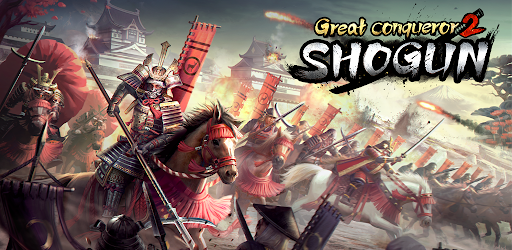
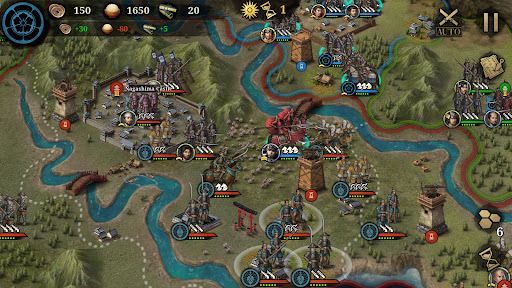
The graphics of Great Conqueror 2: Shogun are visually impressive, with a blend of vibrant colors and detailed character designs that bring the Sengoku era to life. The game features beautifully rendered landscapes that capture the essence of feudal Japan, from serene castles to battle-scarred fields. The user interface is intuitive, making navigation seamless for both seasoned gamers and newcomers alike.
Gameplay combines turn-based strategy with elements of real-time decision-making, requiring players to deploy their troops wisely while managing resources and diplomacy. The battles are dynamic, showcasing a variety of unit types including infantry, cavalry, and specialized troops like ninjas and sword masters. Each unit comes with unique abilities and upgrade paths, adding depth to the tactical gameplay. The strategic layer is enriched by the incorporation of historical events that can pivot the outcome of battles, requiring players to adapt their strategies on the fly. Overall, the engaging visuals coupled with intricate gameplay mechanics make for a compelling experience.
Key Features
- Historical Campaigns: Relive over 200 historical battles and campaign scenarios, immersing yourself in the rich narrative of the Sengoku period.
- Diverse Units: Command a wide range of units including infantry, cavalry, archers, and special troops, each with their own strengths and weaknesses.
- Dynamic Diplomacy: Engage in complex diplomatic strategies involving gifts, agreements, and war declarations that can alter the course of your campaign.
- Castle Conquests: Start your journey with one castle, gradually conquering neighboring powers to unify Japan and achieve the title of "Tenkabito."
- Legendary Generals: Play as iconic figures such as Oda Nobunaga and Tokugawa Ieyasu, harnessing their unique abilities to dominate the battlefield.
- Equipment and Upgrades: Utilize a robust forging system to equip your generals with powerful artifacts and enhance your troops' capabilities.
- Interactive Gameplay: Choices made in the game affect not only the outcomes of battles but also the historical narrative, providing players with a unique experience on each playthrough.
Mod Features
- Premium Unlocked: Enjoy all premium features of the game without having to make any in-app purchases.
- No Ads: Play uninterrupted with an ad-free experience, allowing you to fully immerse yourself in the game's strategic depth.
- Unlimited Money: Start the game with unlimited resources, enabling you to build your empire and command powerful units without any limitations.
- All Generals Unlocked: Gain instant access to all legendary generals, empowering you to strategize with the best from the outset.
- Enhanced Graphics: Experience improved graphics settings for even more stunning visuals and smoother gameplay.
How to Install APK on Android
Installing Great Conqueror 2: Shogun as an APK file on your Android device is a straightforward process. Follow these steps to get started:
- Enable Unknown Sources: Go to your device's Settings > Security > Unknown Sources and enable it to allow installations from sources other than the Google Play Store.
- Download the APK: Click on the download link provided below to obtain the APK file for Great Conqueror 2: Shogun.
- Locate the File: Open your device's file manager and navigate to the Downloads folder to find the downloaded APK file.
- Install the APK: Tap on the APK file and follow the on-screen instructions to complete the installation process.
- Launch the Game: Once installed, you can find the game icon on your home screen or app drawer. Tap to launch and start your journey in the Sengoku period!
Download Link
Ready to embark on your quest for dominance in the Sengoku era? Click the link below to download Great Conqueror 2: Shogun now!