Screenshots
Introduction
GlassCockpit To Sim is a sophisticated Android application developed by Peix Software, designed to enhance the flight simulation experience. This utility functions as a primary flight display (PFD) and an integrated flight desk system, providing users with comprehensive flight instrumentation, navigation, and engine data. Key functionalities include landing gear and flap systems, along with an autopilot system based on the Garmin GFC 700. However, it's essential to note that the app requires a WiFi connection to an external flight simulator to operate. It is primarily developed to work seamlessly with Microsoft Flight Simulator X and Prepar3D, utilizing FSUIPC and PeixConnect, with limited compatibility for X-Plane due to its UDP protocol constraints. The app's current version is 3.2.6, released on April 8, 2026. It is available as a trial version, allowing users to experience its functionality before purchasing.
Graphics & Gameplay
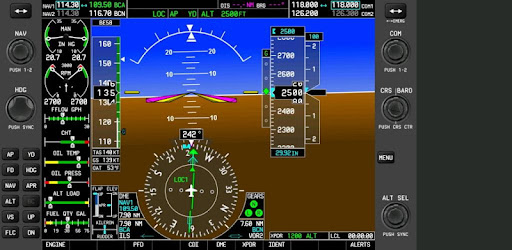
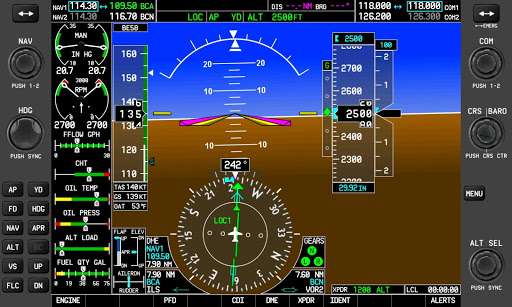
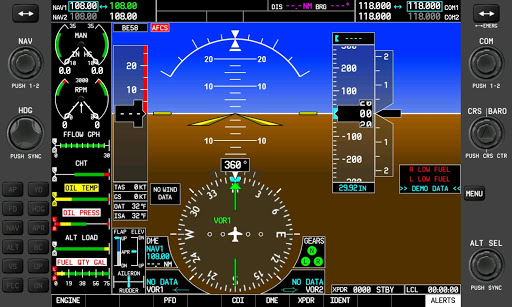
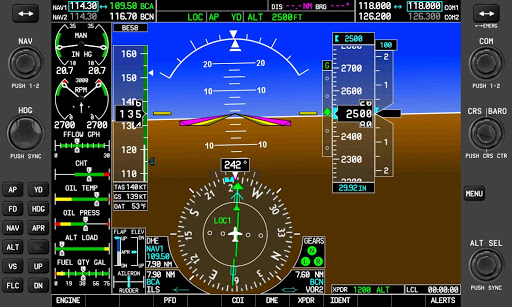
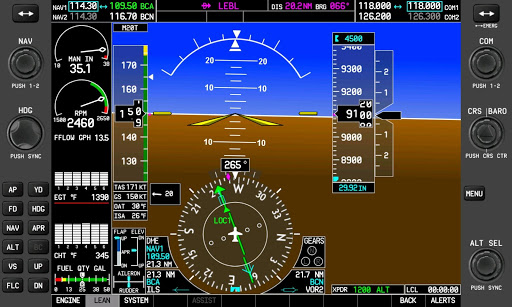
The visual interface of GlassCockpit To Sim is clean, modern, and designed with the user experience in mind. The screenshots depict a well-organized layout that prioritizes usability for flight simulation enthusiasts. The primary flight display showcases essential flight data, including speed references, engine systems, and navigation aids, all presented in a visually appealing manner. The color scheme is functional, ensuring that crucial information stands out clearly, even in various lighting conditions. Additionally, the graphics emphasize readability and ease of access to key flight metrics, making it suitable for both novice and experienced pilots alike. The app’s design enhances the overall gameplay experience, allowing users to focus on flying rather than navigating complicated menus.
Key Features
- Comprehensive Flight Information: Displays vital information like speed, altitude, and heading, essential for real-time flight navigation.
- Autopilot Integration: Features a reliable autopilot system modeled after the GFC 700, making it easier for users to manage their flights.
- Aircraft Compatibility: Comes pre-configured for various aircraft models, including popular choices like the Beech King Air 350 and Cessna C172R, ensuring a realistic simulation experience.
- WiFi Connectivity: Requires an external flight simulator connection, enhancing the application’s functionality by pulling real-time data.
- Trial Mode: Users can experience the app before committing to a purchase, providing a risk-free opportunity to assess its value.
Mod Features
- Premium Unlocked: Access all features without any limitations, allowing for a full-fledged flight simulation experience.
- No Ads: Enjoy an uninterrupted user experience with no advertisements, allowing you to focus solely on your flight tasks.
- Unlimited Money: Gain access to unlimited in-app resources, enabling you to customize your flight experience without constraints.
- Enhanced Compatibility: Enjoy improved performance and compatibility with additional flight simulators beyond the standard offerings.
- Customizable Interface: Tailor the app's layout to suit your personal preferences for a more personalized user experience.
How to Install APK on Android
Installing the GlassCockpit To Sim APK on your Android device is a straightforward process. Follow these steps to get started:
- Download the APK: Visit the official website or your preferred APK download site to obtain the GlassCockpit To Sim APK file.
- Enable Unknown Sources: Go to your device's settings, navigate to "Security," and enable "Unknown Sources" to allow installations from sources other than the Google Play Store.
- Locate the APK File: Use a file manager to find the downloaded APK file in your device's Downloads folder or the designated location.
- Install the APK: Tap the APK file and follow the on-screen instructions to install the app on your device.
- Launch the App: Once installation is complete, locate the GlassCockpit To Sim icon on your home screen or app drawer and tap to launch the application.
- Connect to Flight Simulator: Ensure your device is connected to a compatible flight simulator via WiFi for the app to function correctly.
Conclusion
GlassCockpit To Sim is an essential tool for flight simulation enthusiasts, providing a rich array of features and a user-friendly interface that enhances the overall flying experience. Its functionality, combined with the ability to connect to various flight simulators, makes it a worthwhile investment for both casual and dedicated pilots. If you're ready to elevate your flight simulation experience, download GlassCockpit To Sim today and take your virtual flying to new heights!
Click here to download GlassCockpit To Sim: Download GlassCockpit To Sim