
CD Signal: Walkie Talkie - App Review and Download Guide
Screenshots


Introduction
CD Signal: Walkie Talkie is an innovative communication app designed by developer Chinmoy Das. This app transforms your smartphone into a secure walkie-talkie and private phone, allowing users to communicate instantly without the hassles of missed calls or lengthy text messages. By simply holding down a button, users can speak directly to their friends or colleagues, making it an ideal tool for team coordination, outdoor activities like hiking, and private conversations. CD Signal prioritizes user privacy and security, ensuring that your voice data remains confidential and does not touch external servers. With its unique peer-to-peer (P2P) technology, CD Signal provides the speed of a radio and the security of encrypted communication, making it a compelling choice for anyone seeking a reliable communication tool.
Graphics & Gameplay
The visuals of CD Signal are sleek and functional, designed to facilitate easy navigation and usage. The interface showcases a blue button prominently for the push-to-talk feature, ensuring that users can easily access the primary function of the app. The design is minimalistic yet effective, with a color scheme that combines soothing blues and whites, promoting a sense of calm and professionalism. The app's layout is intuitive, featuring clear icons for calling and messaging, making it user-friendly for both tech-savvy individuals and those less familiar with technology.
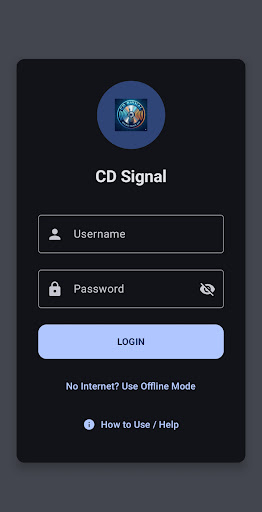
Screenshots of the app reveal its modern design, with a clean and organized interface. The display clearly indicates whether you are in Push-to-Talk mode or making a private call, ensuring that you can seamlessly switch between modes. The use of easy-to-read fonts and well-placed buttons contributes to an overall positive user experience. Additionally, the visuals hint at the functionality of features like the QR code pairing, which is visually represented to highlight the app's zero-touch connectivity.
Key Features
- Secure Private Calls: CD Signal allows users to initiate real-time phone calls with the same ease as sending a message, ensuring clarity and privacy.
- Instant Push-to-Talk (PTT): The app’s PTT feature enables users to communicate instantly by holding down a button, making it perfect for quick updates.
- Carrier-Grade Encryption: All communications are encrypted with a unique Frequency PIN, ensuring that only trusted contacts can connect with you.
- Smart Battery Saver: The app is designed for all-day use, managing power efficiently in both PTT and Call modes.
- Offline Mode: Users can still communicate without an internet connection by connecting devices directly via mobile hotspot or local Wi-Fi.
- Voice Pager Mode: Never miss an important message, as the app records incoming PTT messages when your phone is silent or busy.
- Zero-Touch Connectivity: Pairing with friends is hassle-free with QR code scanning or entering a Frequency PIN.
Mod Features
- Premium Unlocked: Enjoy all premium features without any restrictions, allowing for enhanced functionality and user experience.
- No Ads: Experience uninterrupted communication with an ad-free version of the app, focusing solely on your conversations.
- Unlimited Money: While not applicable in the traditional sense, this feature could provide unlimited access to any in-app purchases or features, further enriching the user experience.
- Customizable Themes: Personalize your app experience with various themes and color options to suit your style.
- Enhanced Security Features: Additional encryption options for your conversations, ensuring even more privacy.
How to Install APK on Android
Installing the CD Signal: Walkie Talkie APK on your Android device is a straightforward process. Follow these steps to get started:
- Download the APK: Click on the download link provided at the end of this guide to start downloading the APK file.
- Enable Unknown Sources: Go to your device’s settings, navigate to Security, and enable the "Install from Unknown Sources" option. This allows you to install apps from sources other than the Google Play Store.
- Locate the APK: Open your file manager and locate the downloaded APK file in your Downloads folder.
- Install the APK: Tap on the APK file and follow the on-screen instructions to install the app.
- Open the App: Once installed, locate the CD Signal app icon on your home screen or app drawer and tap to launch it.
- Create Your Account: Follow the prompts to set up your secure session, and you’re ready to start communicating!
Call to Action
If you're looking for a secure and efficient way to communicate with friends or teammates, download CD Signal: Walkie Talkie here and experience the future of communication today!